In this article, you will learn how to combine the Multi-Language and Share Tours add-ons to publish translated tour pages. This allows you to market your tours internationally and generate leads from global clients whose first language is not English.
The Share Tours add-on allows you to share webpages of your tours across social media, newsletters, webpages, or email. Using it with the Multi-Language feature allows you to expand your reach to French, German, Spanish, Italian, Portuguese, or Dutch speakers.
Once you have Tour Templates in your desired language, you can share them anywhere online.
How to Use the Multi-Language Add-on
Learn how to use the multi-language add-on.
Use the Share Tours add-on to set up your Tour Page and publish it.
To create a full Multi-Language experience, make sure to manually enter your custom form details in your chosen language.
Click the Share Tour button.
Fill in the Share Tour form on the window that opens.
How to Use the Share Tour Add-on
Here is a step-by-step detail to set up your share tours.
Set up your Tour Page.

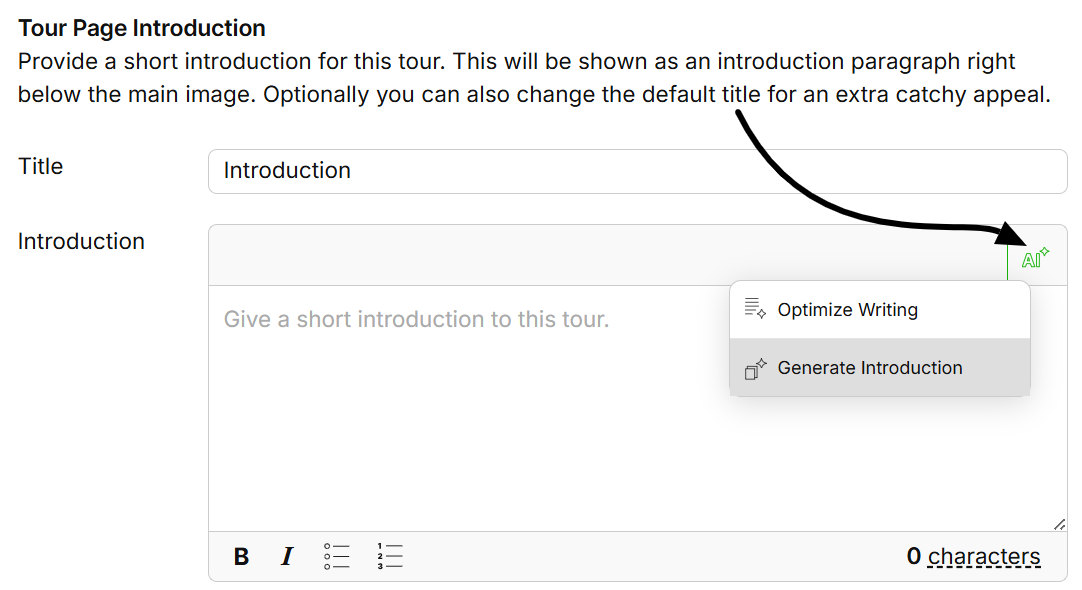
Click Publish & Generate Tour Page Link at the bottom when you’re done filling in the Share Tour form.

Copy the tour link to share it anywhere.
You can add a general request form to your website in either French, German, Spanish, Italian, Portuguese, or Dutch to capture leads of clients who are still exploring their options. SafariOffice automatically adds leads captured through this form as a request.
You can customize the fields of the form with specific questions in the different languages. You’ll have the option to choose which fields to show and set them as required or not.
