Creating quotes in your client's native language helps you build trust and increasing your chance of conversion. In this article, you will learn how easy it is to generate a quote in French, German, Spanish, Italian, Portuguese, or Dutch.
There are 3 ways to go about this.
If you are a native speaker of the language, you can create the quote directly from a new request.
Click Add New Request to enter client information.
Select the language you’d want to communicate in.
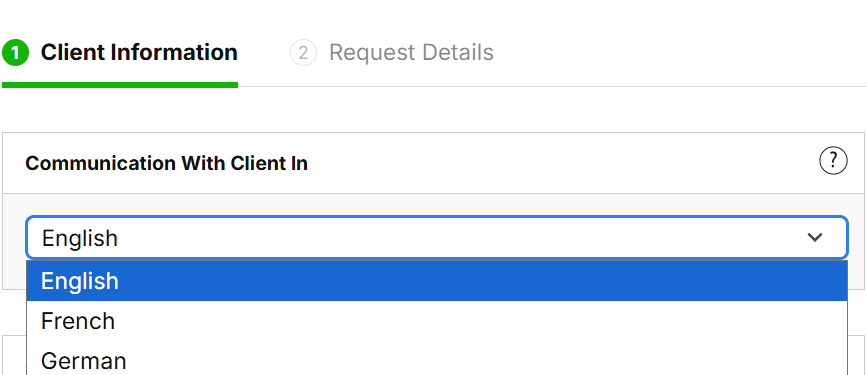
Fill in the client information and request details.
Click Create Quote.
Follow steps 1 to 4 in the quote builder to create your quote.
If you are not a native speaker, you can create your quote in English first and then translate it.
1. Create your quote in English.
2. Complete the day-by-day and pricing sections.
3. Go back to the Day-by-Day.
4. Click Edit Language at top tab to change your language.
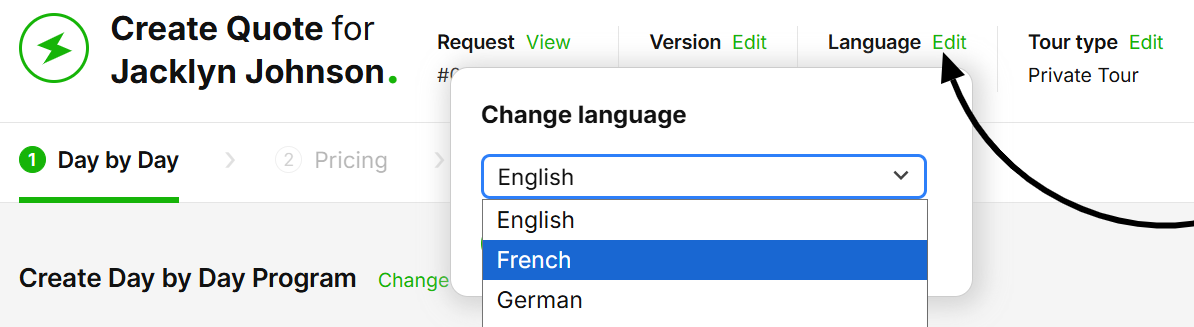
5. Click Save.
You’ll now have your quote ready in the new language.


Tour Templates help you build quotes faster and reduce manual work. Having them ready in your desired language streamlines your workflow.
1. Go to your Tour Template.
2. Click the Three Dots menu at the bottom right.
3. Select Copy Template.
4. Select the language to copy it in.
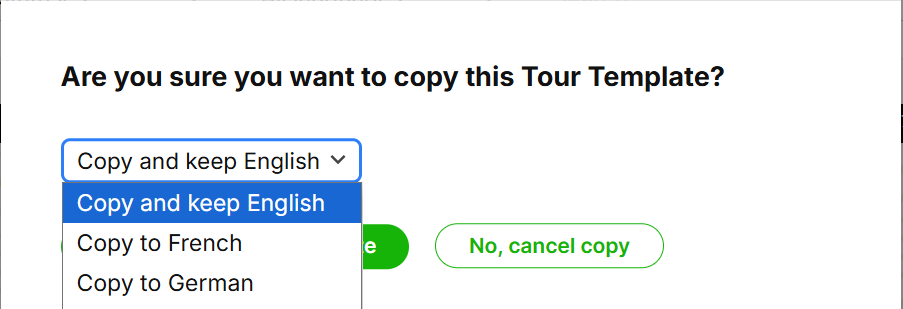
5. Save.
SafariOffice will automatically create a copy of the template in your chosen language.
How to Activate a Language Add-on
Learn how to activate language Add-ons to access professionally translated content in French, German, and Spanish
