You can invite as many users as you like. To do this, you must have the admin rights. As a team, you can work together using SafariOffice and share requests, quotes and client information.
You can filter and sort different data to easily see the status, individual tasks, and performance insights.
Go to Go to Settings > Subscriptions and User Accounts>User Accounts.
Use the 'Add New User Account' button to add your team members to your SafariOffice account.

Choose the role (User Privileges & Permissions) you want to give the team member you are inviting. The system explains the different roles when you have to make this choice.
You might not want to make all users admins so read the options carefully and choose between Admin and Normal users.

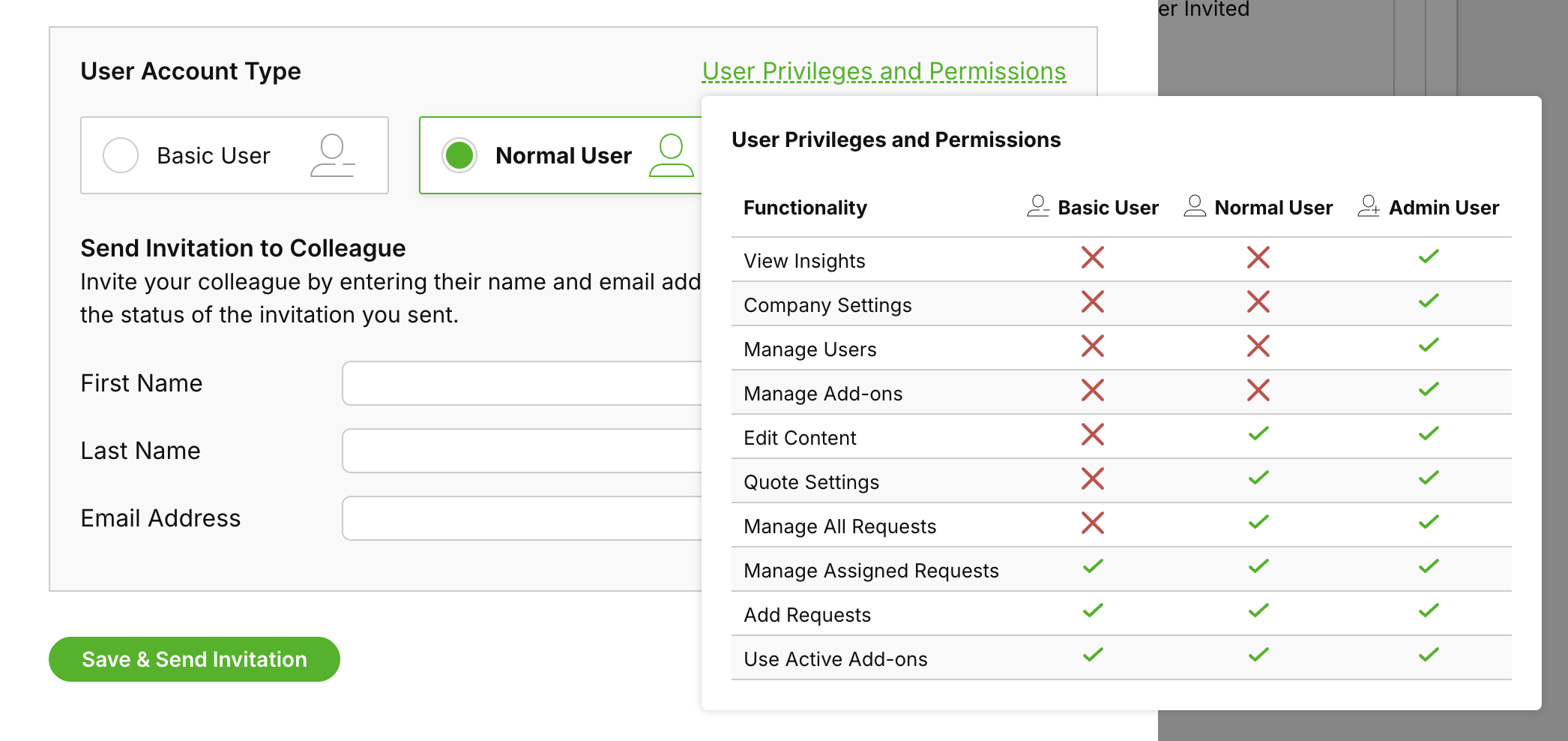
Add the first name, last name, and email address of the person you would like to invite.
The user you invite will receive an email from SafariOffice and they can start to create their profile straight away.
You can freely add the first two users to the system at no charge. When you come to the third user the system might ask you to add billing details (if you haven't already done that) and choose a subscription type.
