When you're managing a tour request in SafariOffice, you can also add individual traveler details.
Follow the steps below to add or edit travelers, including their names, dietary requirements, and allergies.
Navigate to the Requests in SafariOffice.
Select the specific request you want to update with traveler details.
Click on the Tour Information tab at the top of the request.
In the first section, you'll see "Travelers for this tour."
This includes the main traveler (the client who submitted the request).
You'll also see slots for additional travelers if multiple travelers were added in the Request Information.
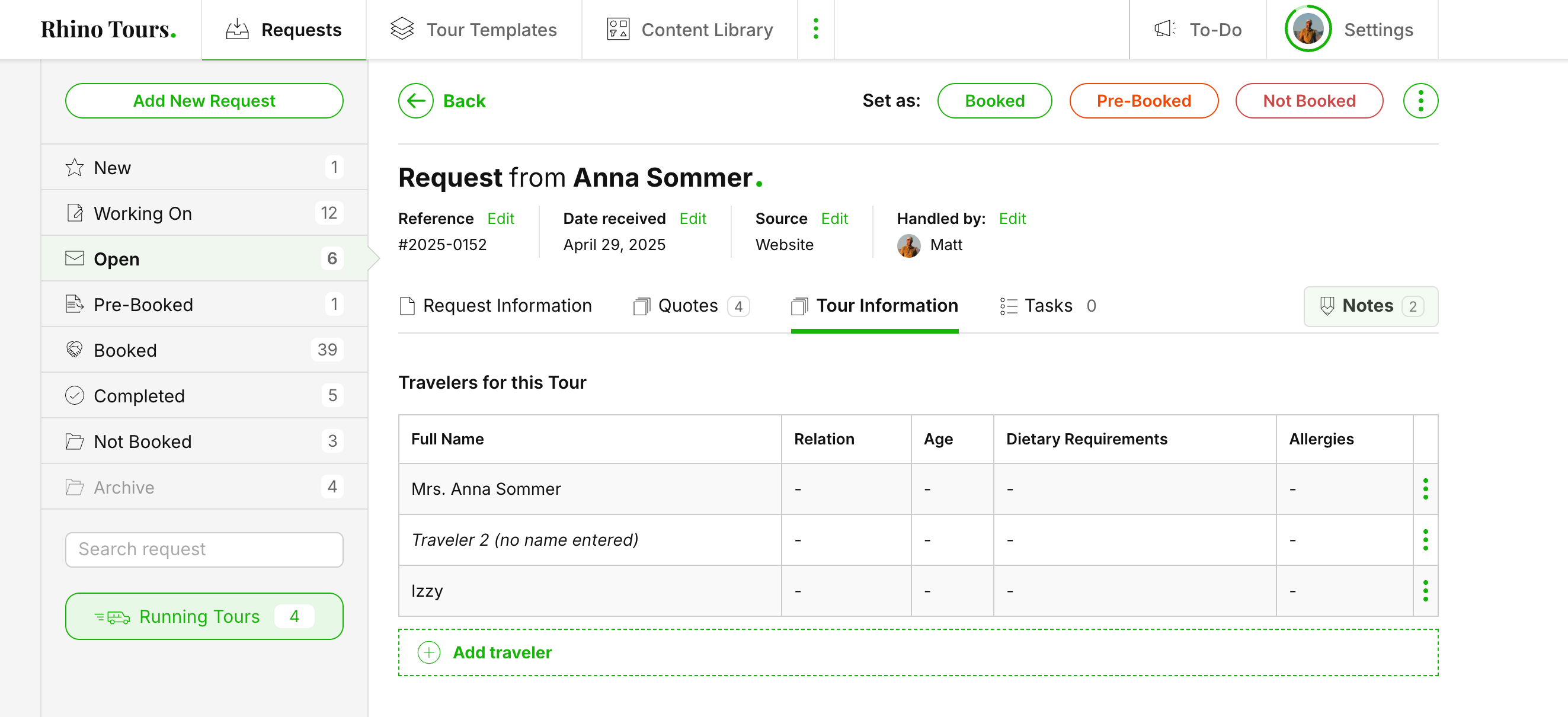
Click on the 'Traveler' or the "Edit Traveler" under the three green dots on the right.
Here, you can:
Change the traveler’s name and some other (contact) details. You can also leave some individual custom notes for this specific traveler for reference.
Add dietary requirements (e.g., vegetarian, vegan, etc.)
Add allergies (e.g., nuts, shellfish, etc.)
Make sure to save any edits using Save Traveler
You can also Delete
You can add new travelers directly in this section by clicking Add Traveler.
Fill in their information, including any special requirements or allergies.

If you're using the SafariBuddy App, travelers can:
Add or edit their dietary requirements and allergies directly in the app, and you will see them here as well.
Select Settings on when clients can still make edits to the dietary requirements and where to receive updates here: https://app.safarioffice.com/safaribuddy
Share the app with other travelers so these travelers can add their details, like name and allergies. You will see this information appear as well.
Encourage clients to use the SafariBuddy App for faster and more accurate traveler info.
Always double-check dietary and allergy information to avoid issues during travel.
How to Use SafariBuddy Manager
In this article, you'll learn how to share a booked tour with your clients through the SafariBuddy app
How to Use Flight Info
Learn how you can add your client's flight info to SafariBuddy App.
