
If you’ve already created a quote and later receive another request for the same or a very similar tour, there’s no need to start from scratch. You can simply convert that quote into a tour template and reuse it for future clients.
This is especially useful for popular itineraries or frequently requested packages, helping you respond faster while keeping your offers consistent.
Steps To Save A Quote As A Tour Template
Go to Requests >Open
Scroll down to find the quote you want.
Open the quote.
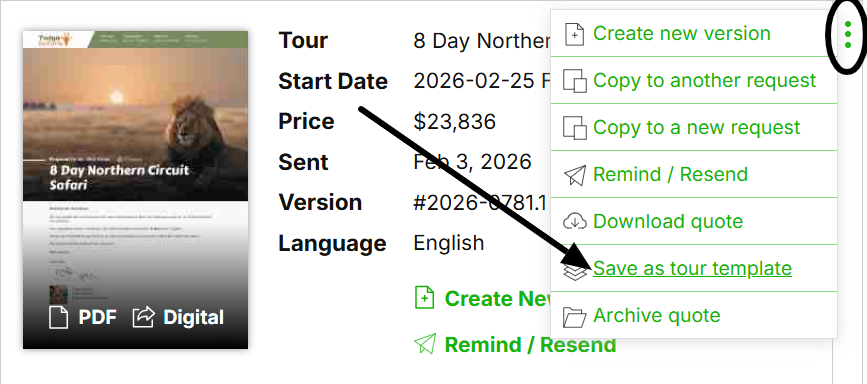
On the sent quote, click the 3-dot menu on the right.
Select Save as a Tour Template.
A new tab will open, click Create Template.
Your template will be automatically created and added to the Tour Templates tab.

All client personal details (names, dates, prices) are removed. The personalised information is replaced with smart tags