
While the SafariOffice database is very large and will fill most of your needs, there may be some situations in which you want to add your own, custom destination.
For example you want to add an exclusive spot that only you know about; or a lesser known destination not (yet) part of our database. This is where custom destinations come into play. Luckily, adding custom destinations to your quote on SafariOffice is easy!
You have two options:
1. Adding a New (Custom) Destination while Creating an Itinerary
If you want to add your own destination this is simply done on the day-by-day page.
Press the X to remove the destination if there is one already.

Then, type in your new, custom destination, and press the green + or use enter to save the destination!

This will add the new destination to your quote, and save it for future use.
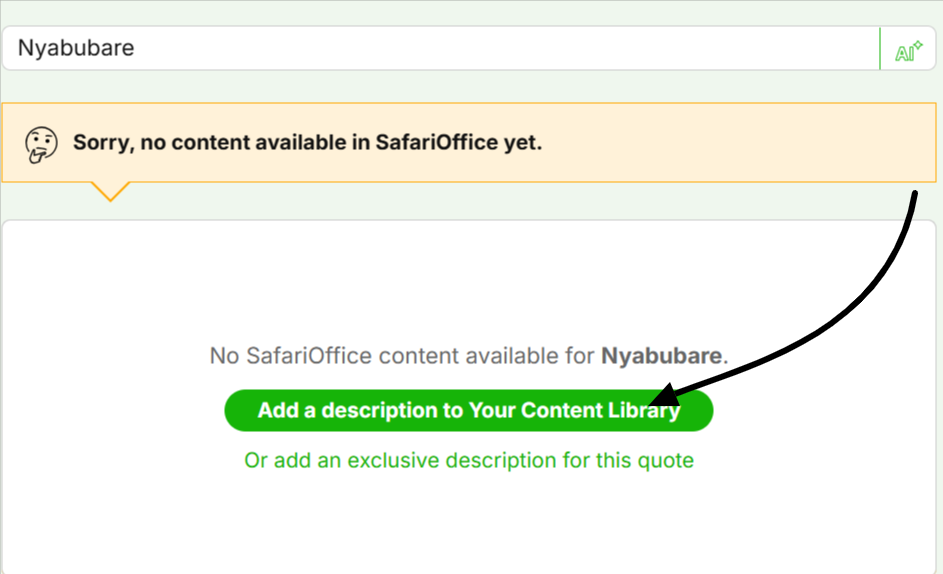
On the Preview & Edit section, SafariOffice will provide generic destination description. And sometimes, SafariOffice might not have the generic description. Click the ‘Edit Day’ button, scroll to Destination Info and enter your custom description.

Using the AI Assistant
About working with the AI assistant, what options you have and where to find it.
2. Adding a custom destination directly to the Content Library
Go to Your Content Library
Go to the Destinations tab
Then click Add New Content at the right top of the table.

Here you can not only add the new destination but also add descriptions, images, and video.
Related Articles
How to Add a Custom Description to Your Content Library
In this article, we explain how to add a custom description to Your Content Library.