While the SafariOffice accommodation database is large and ever-growing, there are some occasions where you might want to add your own, custom accommodation.
In cases where we do not have any information on the accommodation that you wish to add to your itinerary, you can add accommodations yourself!
You have two options:
If you want to add your own accommodation, this is done very simply on the day-by-day page.
Type in the name of the accommodation you wish to add, then click on the Advanced Search button. And you’ll be taken to the Accommodation Directory.

You’ll be notified that the accommodation is not in the system. Click Add New Accommodation, enter the accommodation and Save.
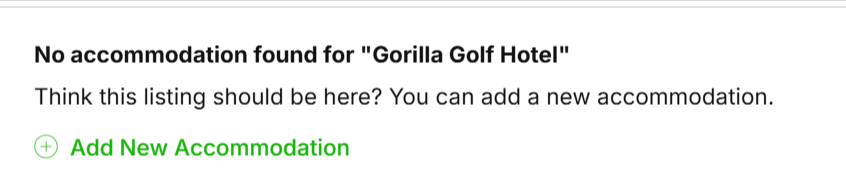
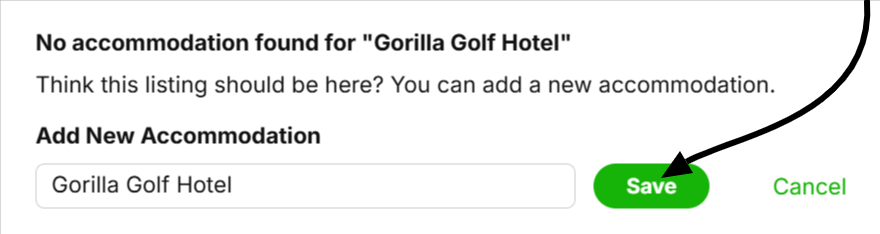
The accommodation will be added and you’ll be taken back to the builder where you can select the accommodation for the day.
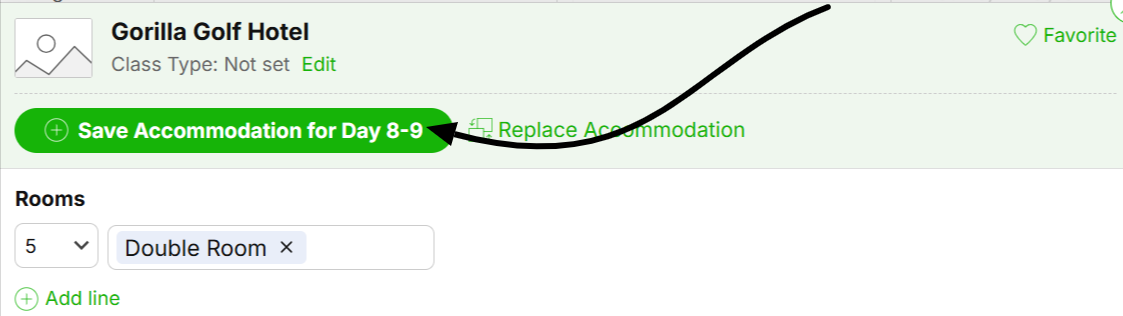
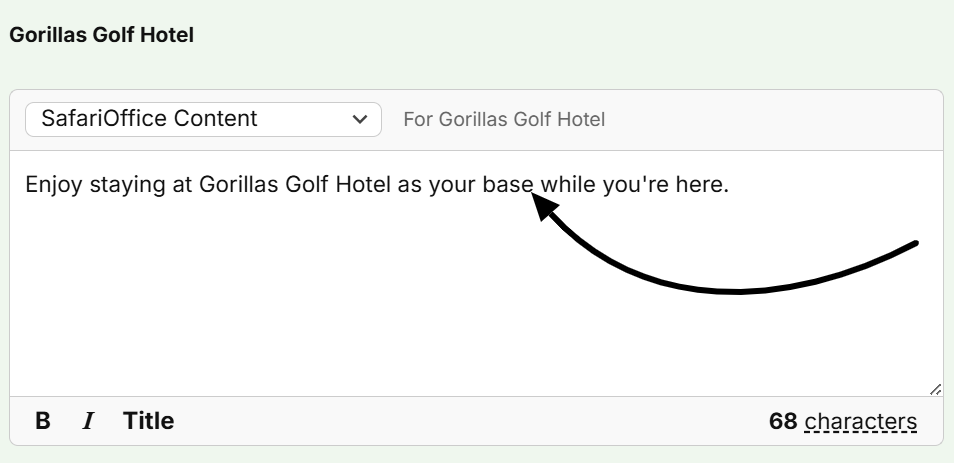
On the Preview & Edit section, SafariOffice will provide generic accommodation description. Click the ‘Edit Day’ button, scroll to Accommodation Info and enter your custom description.
Go to Your Content Library
Go to the Accommodations tab
Then click Add New Content at the right top of the table.

Here you can not only add the new accommodation but also add descriptions, images and video.

How to Add a Custom Description to Your Content Library
In this article, we explain how to add a custom description to Your Content Library.
