Keeping your inbox organized is key to efficient sales management. In this article, you will learn how to set up automatic rules to archive or permanently delete old requests, ensuring your workspace stays streamlined.

Automatic archiving moves older requests out of your active inbox while keeping them accessible for future reference.
Go to Settings.
Select Auto Archiving & Deleting under the Request Settings menu.
Set Enable Auto-Archiving to Yes.
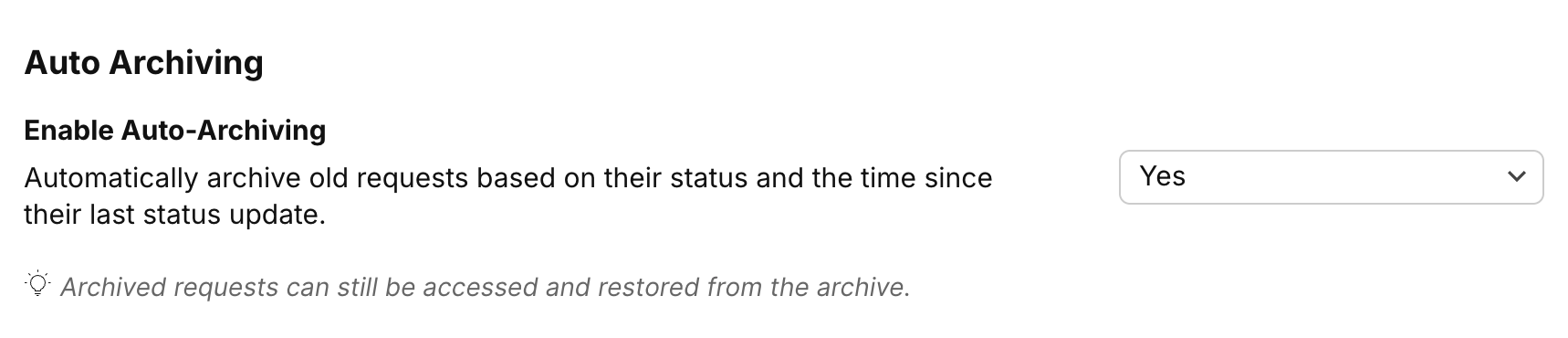
Choose the number of days a request should stay in its current status before archiving in the Days Until Auto-Archive field.
Select the specific checkboxes under Status to Auto-Archive to decide which request types are moved. You have the choice to leave specific status out of Auto-Archiving.
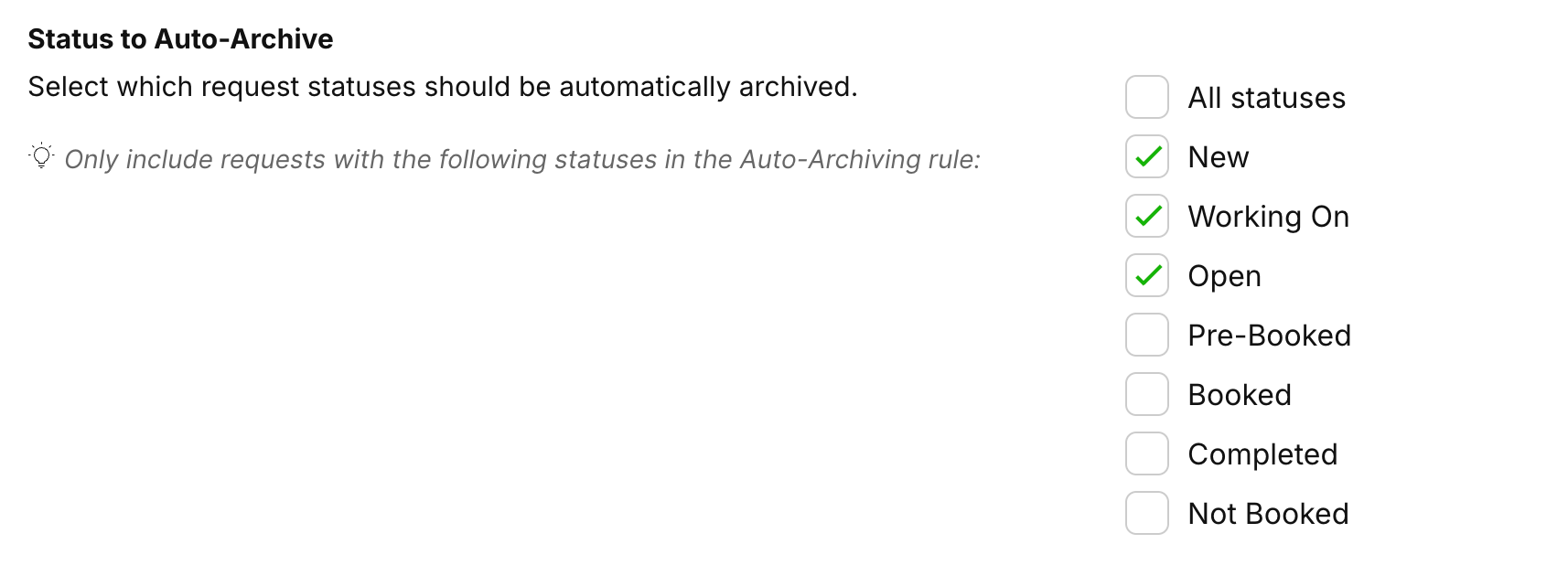
Click Save.
Archived requests are not gone forever. SafariOffice allows you to access and restore them from the archive at any time if a client re-engages.
Go to the Request Archive in the Inbox
Open the Archived Request
Select the three green dots at the right top

Select Unarchive Request
The Request will return to its last known status
You can also set rules to permanently remove requests that have been in the archive for a long period.
Navigate to the Auto Deleting section on the same page.
Set Enable Auto-Deleting to Yes.
Use the Days to Auto-Delete dropdown to select how long a request stays in the archive before it is removed.
Click Save.
