
If your account wasn’t connect upon signing up you can simply connect this later. Either starting from SafariBooking or starting from SafariOffice.
Connecting from SafariOffice
First make sure you are signed in to both SafariOffice AND SafariBookings
Click Connect
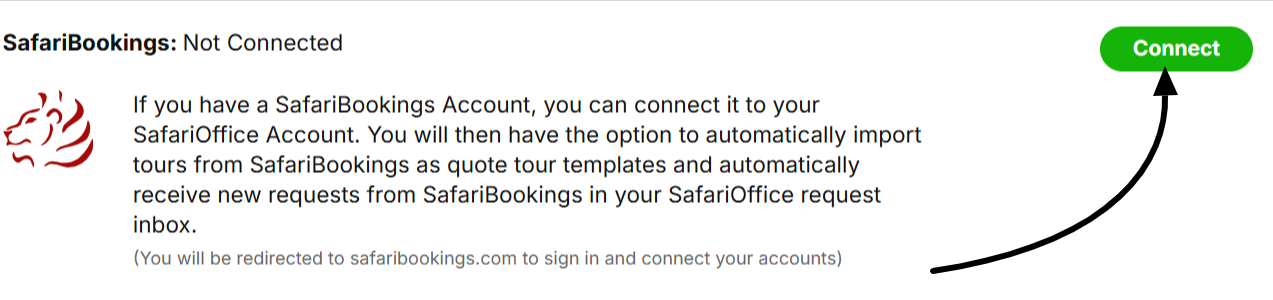
You'll be re-directed to SafariBookings, under the Accounts dropdown, select SafariOffice.
Click Connect Your SafariOffice Account.
You will be taken back to SafariOffice o
Once you're connected, Sync your requests and tour templates then click SAVE.
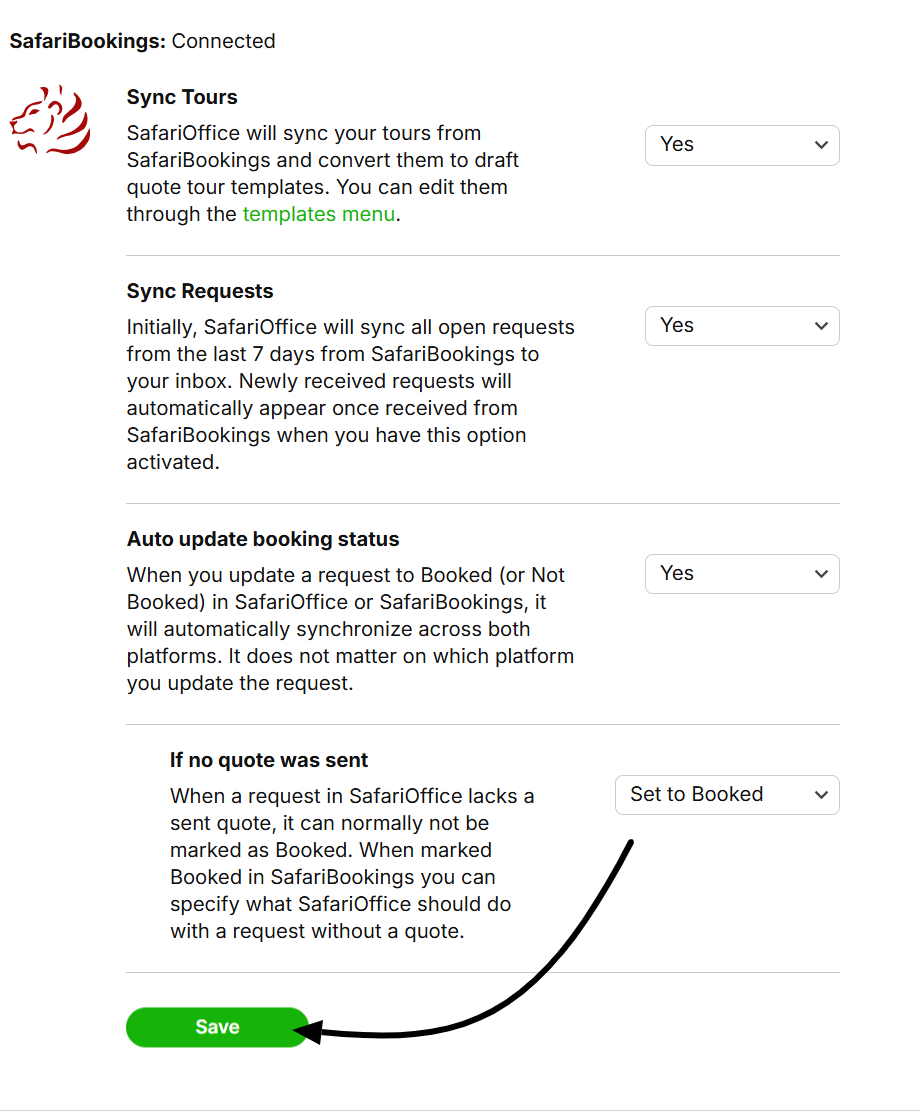
It might take a few moment for Tour Templates and Request to appear. Only Requests that came in the last 7 days will automatically appear.
Connecting from SafariBookings
Sign in to your SafariBooking account
First make sure you are signed in to both SafariOffice AND SafariBookings
In SafariBooking go to Account > SafariOffice
Click Connect Your SafariOffice Account
You will be taken to SafariOffice
Choose your settings for the different options
Click Save
It might take a few moment for Tour Templates and Request to appear. Only Requests that came in the last 7 days will automatically appear.
Related Articles
How to Use Both SafariBookings and SafariOffice
SafariOffice and SafariBooking have some smart integration connections that help you save time and streamline your sales process from lead to booking.