
In most cases, clients request modifications to the initial quote. This can either be requesting additional activities or different accommodations.
It's important to note that once a quote has been sent, it can't be altered.
However, you can create a new version of the quote that can be sent to the client. This helps keep a record of all quotes sent.
SafariOffice keeps versions of every quote you sent.
To Create a New Version of a Quote
Go to the Open folder and select the quote you want to edit.
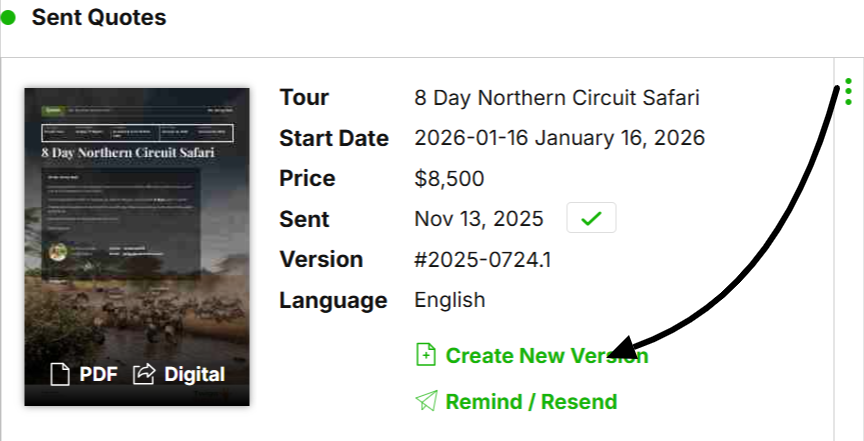
Go to 'Sent Quotes'.
Select the quote you want to create a new version for.
Click 'Create New Version'.
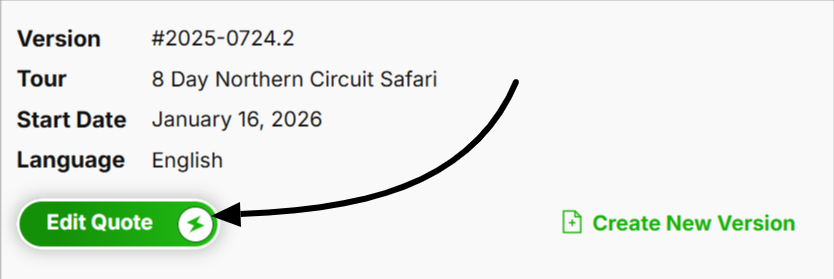
A new version will be added to the draft quotes at the top.
Click on Edit Quote and enter the changes you want to make.

TIP: You can also create new versions (copies) for another client request.