
By selecting all the destination countries that your company operates in, SafariOffice will provide you with the correct content associated with these countries for the creation of your quotes and templates.
Adding a (New) Destination Country
If you want to add (new) destination countries, this is done in your account settings.

1. Go to your account Settings > Request Settings > Your Destination Countries.
2. Add all countries for which your company (will) offer tours by checking the corresponding checkboxes of all required countries. You can also deselect the countries you want to remove from your account.
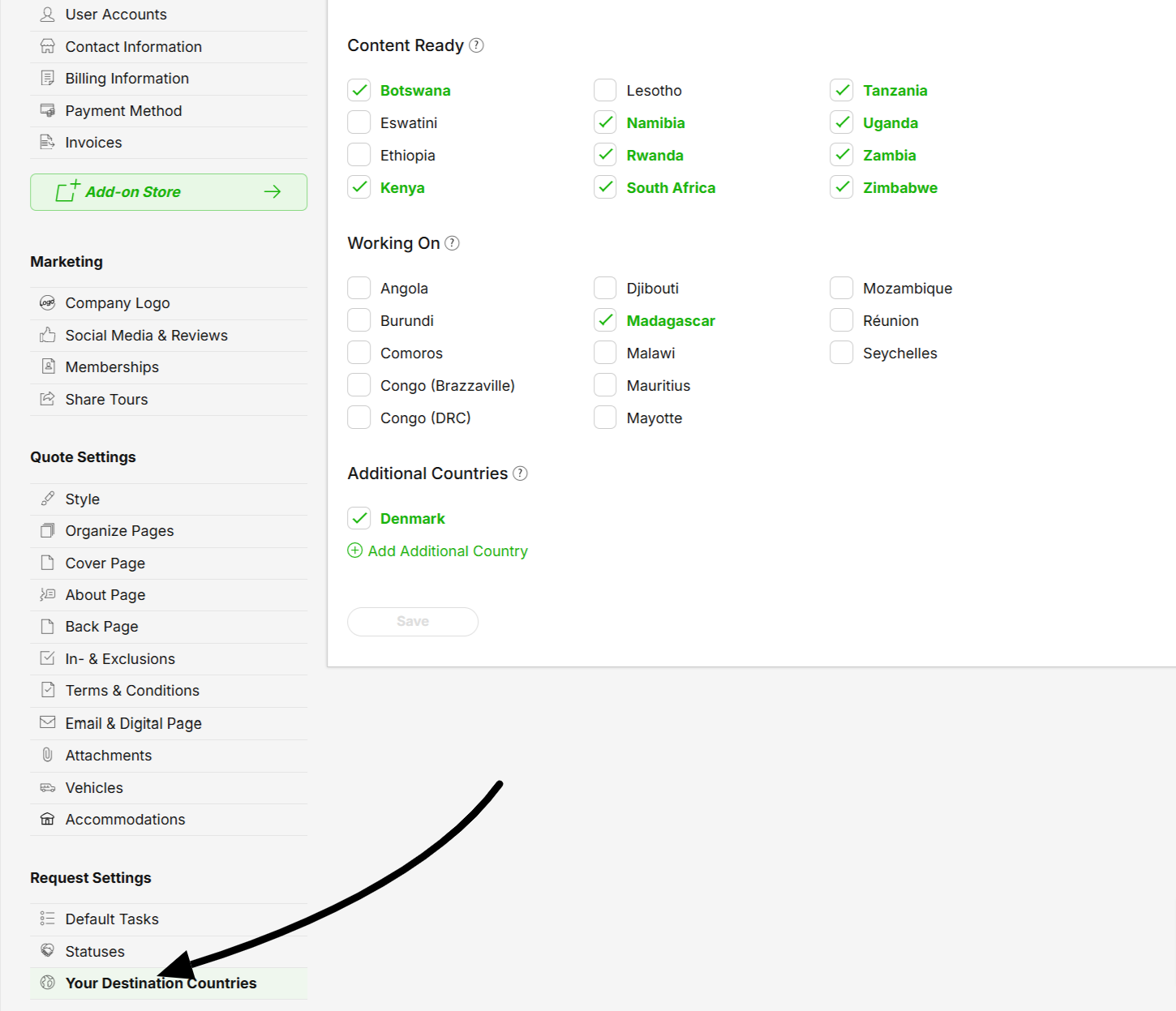
3. Finally, after you (de)select all the correct checkboxes, press 'save'.
4. These countries will now be available to select when creating Request and Tour Templates.
> Content Ready: for these countries, SafariOffice has readily available written content for parks, points of interest, activities, and accommodations for all major items. Related images can be found in the image library. Content is also constantly updated.
> Working On: for these countries, limited content is available. We are working on generating more content for these destination countries, such as written descriptions and images for the destinations and accommodations.
Do you need access to other countries than the ones listed above?
You'll have access to all the countries in the world by clicking on the Add Additional Country button.

These are without any content but you can name the country and add the corresponding flag to the itinerary. This way, you can also create a Media Library item under that country.