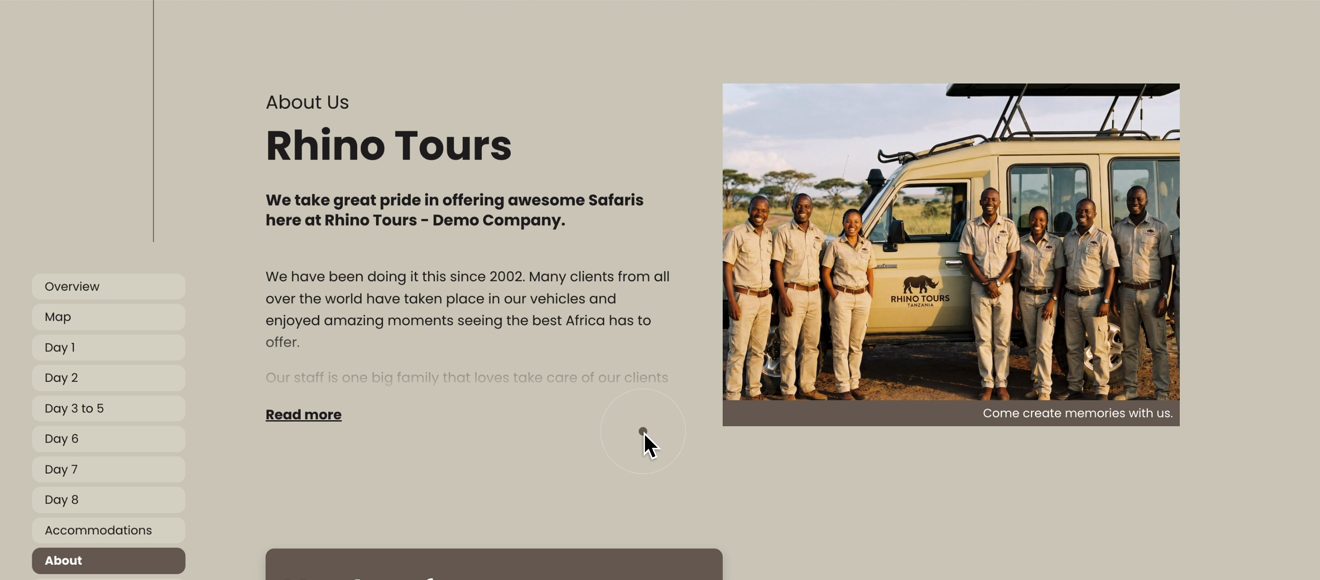
You can now add your About Page to your Digital Itineraries as well. Your clients will see an About section with your header image, company story, memberships and awards, placed in the same spot as the About chapter in your PDF.

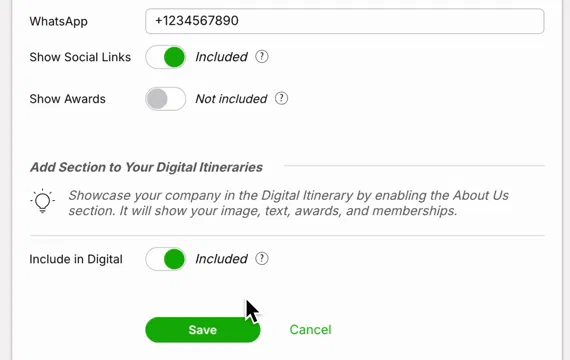
Go to Settings, scroll down to Tour & Quote Settings and click About Page.
Scroll down to the bottom of the page, to Add Section to Your Digital Itineraries.
Switch Include in Digital to Included.
Click Save.
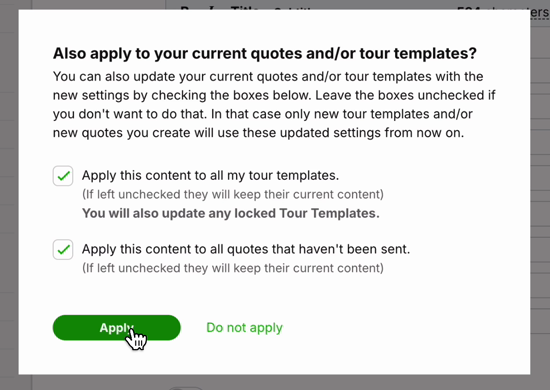
After saving, a pop-up asks: Also apply to your current quotes and/or tour templates?
Tick Apply this content to all my tour templates to add the About section to all your tour templates. Any new quote you create from those templates will then include it too. This also updates locked Tour Templates.
Tick Apply this content to all quotes that haven't been sent to add it to quotes you are still working on.
Click Apply. If you click Do not apply, only new tour templates and quotes you create from now on will include the About section.
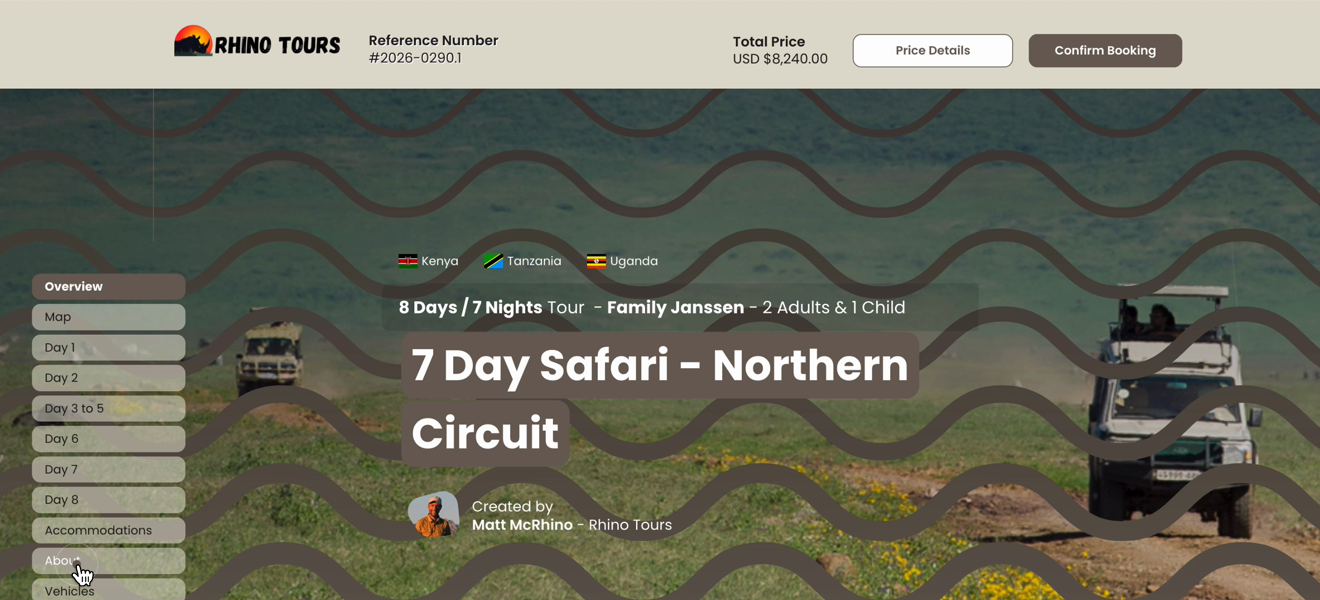
When your client opens the Digital Itinerary, About now appears in the menu. It is placed in the same spot as the About chapter in your PDF.
The About section shows your header image, page title and the start of your text. Your client can click Read more to open the full text. Your memberships, certifications and awards can be shown here as well, under Member section and Awards section (the last one is for PRO users only).