Beyond the search results, every accommodation has a full profile you can open, a shareable Digital Page, and – for owner-managed properties – detailed room, amenity and contact information. This article explains how it all fits together.
Click an accommodation card (or View Details from a map pin) to open its detail panel. Depending on how complete the listing is, you may see tabs such as Overview, Rooms & Amenities, Services, Facilities & Activities, Location and Documents.
The Overview shows the type, class, location, address and photos.
At the top you can also add the accommodation to your Favorites, Open the Digital Page (when made available).
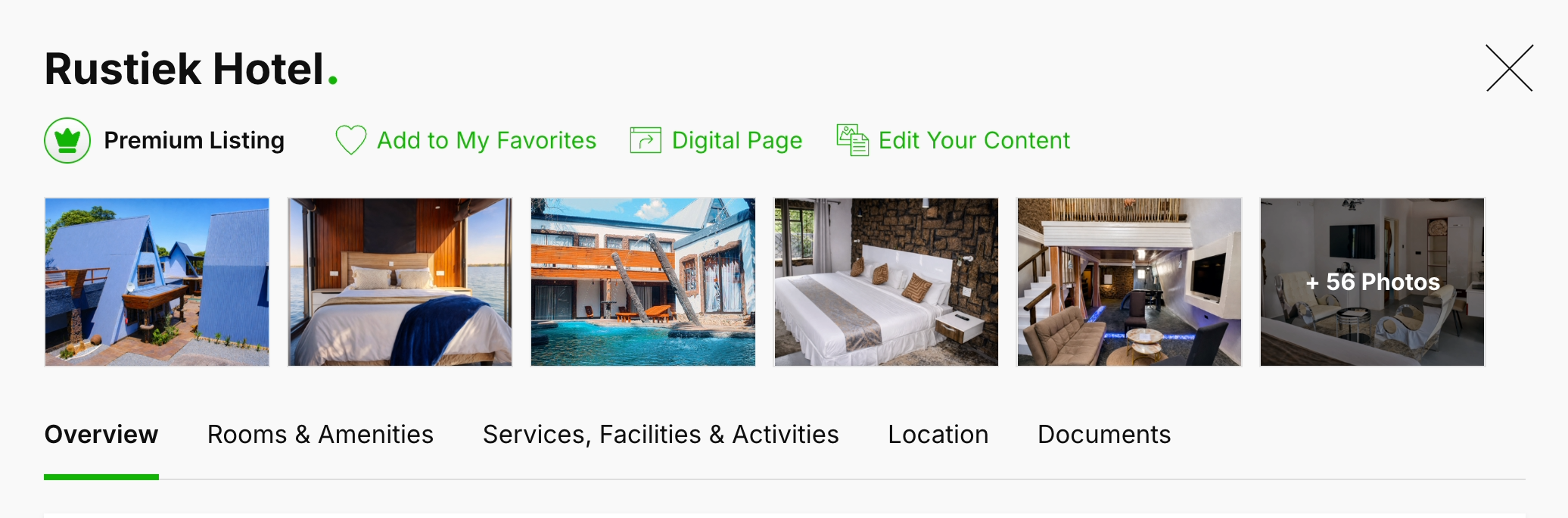


Some accommodations are marked as a Premium Listing. These are managed and upgraded directly by the property owner, so they carry the richest information.
Every Premium listing can have a Digital Page – a clean, public web page for the accommodation that you can open and share with clients in your branding.
It has its own tabs: Overview, Rooms, Gallery and Location details.
To share it, click Copy Link on the accommodation card. You will see a "Link copied to clipboard" confirmation, and can then paste the link into an email or message.
The page is also directly available from itineraries in quotes and also for user with Share Tours Add-on for webpages. Giving these properties an extra level of information and immersion for your clients. Without those clients going to an external website but staying within your branded selling cycle.
Anyone can link to these pages from their own website as well to showcase partners you work with.

If a property has not yet been claimed, its detail panel shows a note that it “isn't managed by its owner yet” and carries less detail.
When you come across one of these, you can flag your interest so the owners knows and SafariOffice can reach out and invite the owner to join and complete their content, free of charge. This helps everyone get richer, more accurate listings over time.
Listed, contact details available, but not claimed yet. → Click to invite the owner

Listed, unknown contact details in the system. → Click to notify us and start searching.

