
The Accommodations Directory holds thousands of properties across all your safari destinations. In this article you will learn how to search and filter so you can find exactly the right accommodation in seconds.

Search by name or destination
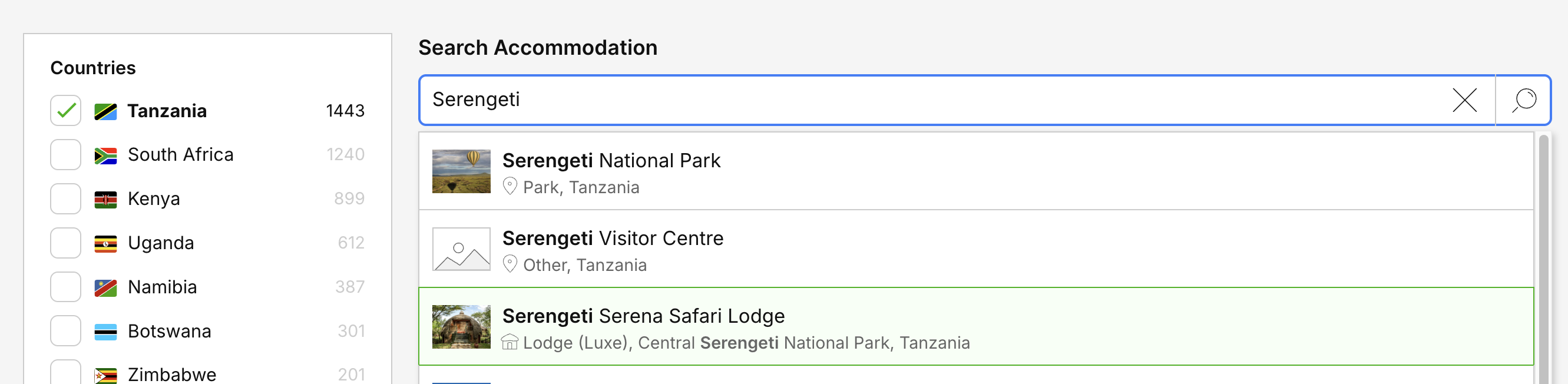
Use the Search Accommodation or Destination bar at the top of the page. You can type:
The name of an accommodation (for example, "Arusha Planet Lodge") to jump straight to it.
A destination or area (for example, "Serengeti National Park") to see every accommodation in that region.
Filter accommodations
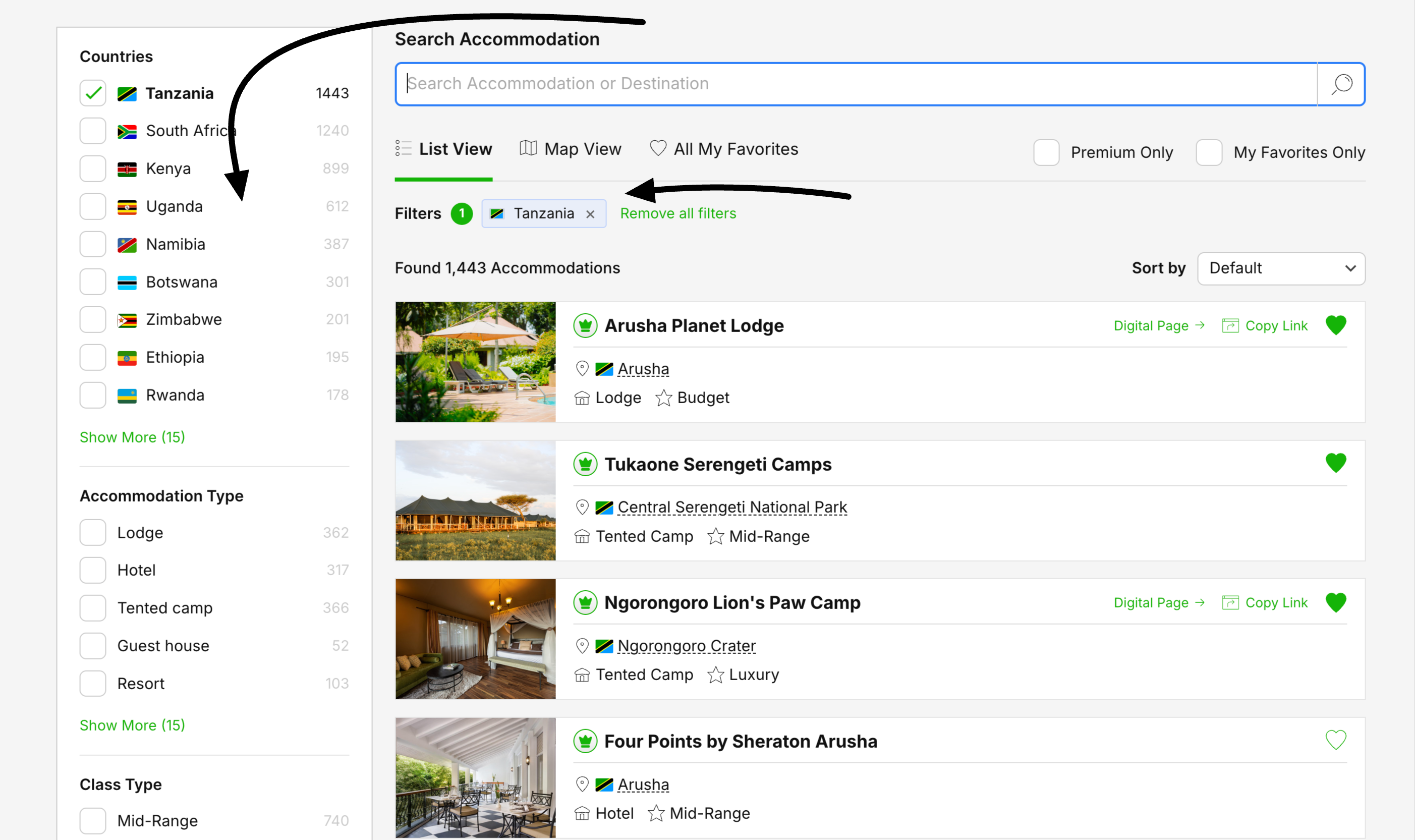
The panel on the left lets you narrow the list. Each filter group shows how many accommodations match, and you can combine as many as you like:
See and clear active filters
Every filter you apply appears as a chip at the top of the results, next to the number of accommodations found. To start over, click Remove all filters.
Premium Only and My Favorites Only
Two quick toggles sit above the results:
Premium Only – show only owner-managed Premium listings, which include full room details, amenities and contact information.
My Favorites Only – limit the list to the accommodations you have saved as favorites.
Sort your results
Use the Sort by dropdown on the right to change the order of the results.