Your Content Library offers the option to archive (and unarchive) items. This is important if you want to keep your content database clean and tidy. It's also important if you are using the FREE version and want to avoid issues with limitations; you can archive items to keep your five slots per category (Destinations, Activity, Accommodations) open for the important items you need.
Archived items remain in the database for 365 days, after which they will be deleted. During this time, you can still restore them and acces and update all the custom data (text, images and videos).
An archived item's content will not be deleted from any existing quotes or templates; however, you cannot centrally update it anymore.
Go to the Main Content category.
You can:
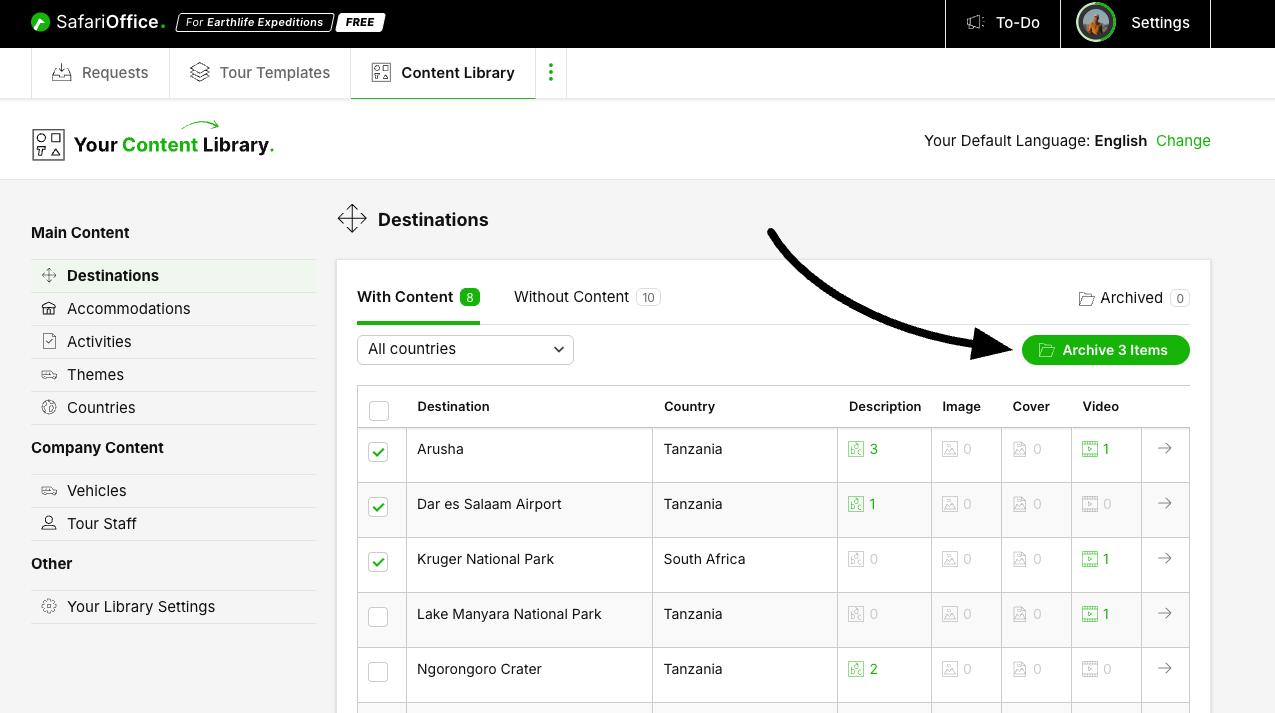
Archive multiple items at once in the overview.
Archive a single item in the detail view.
Select the items using the checkboxes.
The archive button becomes available; it shows the number selected.
Click the green Archive button.
Confirm by clicking OK (or cancel the action).
The items will move to the Archive.
You will see an updated number at the top right in the Archive section.

Select the item from the list by clicking it
In the detail view click the right top button ‘Archive’
Confirm with OK (or cancel)
You will see a notification the item is Archived now.
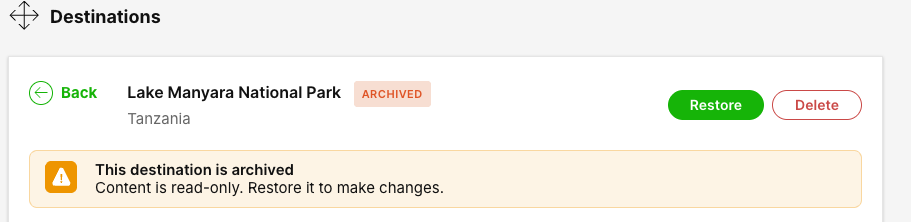
Go to the archive for a particular category (Destination, Accommodation, Activity)
Select the item(s) from the list using the checkbox.
The Restore button becomes active.
Click Restore Item(s).
The items will appear in the normal list.

Once archived items can be deleted.
Click Delete at the right top of the detail view
This is irreversibel all content will be deleted from your database.
